Your cart is empty
You didn't add any item in your cart yet. Browse the website to find amazing deals!
Trending
Pre-orders
Bestsellers
Cancel deletion
Continue shopping
Add our
bot on your server to display the news from Instant Gaming News, major promotional campaigns, game releases or even an alert for every purchase via your affiliate link, while earning money automatically!
Available servers where you can install the bot:
Setting up the Discord bot on your server
-
1.
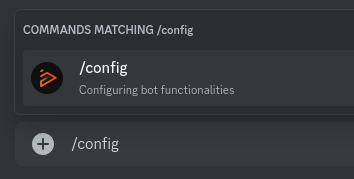
Now that the bot is installed on your server, you can configure its features. In the channel of your choice, type
/configthenenter. It will be possible to configure each feature in a different channel during installation.
-
2.
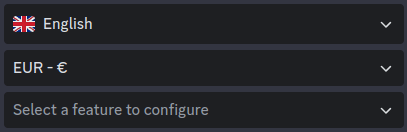
This opens the bot control panel. Select the desired
language,currencyandfeature.
-
3.
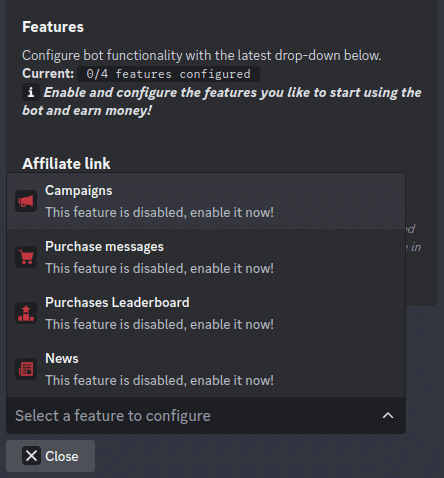
There are 4 optional, independent features that you can activate or deactivate whenever you like. All include your affiliate link (including news), enabling you to earn money when a purchase is made by a member of your server who has clicked on a link from the
bot.
Stats are available in the Partnership section.Marketing campaignsDisplays our promotional campaigns (Black Friday, ...) or important game releases.Purchase notificationA message will be posted with every purchase via your affiliate link.Buyer rankingA leaderboard of your best buyers will be posted in the chosen channel.Newsour gaming news will be posted on your server.
-
4.
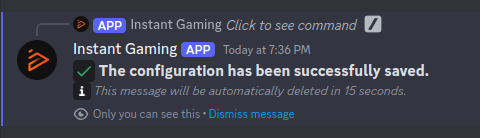
All you have to do now is configure a few steps for each function to activate it. For example, you can:
- Choose the
channelwhere the chosen content will be posted. - Mention members with a specific
roleon your server. - Enable or disable a
threadlinked to the message.
ClickEnable, and your feature is activated :)
- Choose the
Questions or help?
-
If you have any questions, feel free to join us on Discord to discuss it.